Cleaning Cycle Tutorial: Using the Rubber Disc & Tablets
How to run Breville cleaning cycle with rubber disc and tablets. Step-by-step backflushing guide for Barista Express, Bambino, and Oracle models.
Skipped my cleaning cycle for about three weeks once. Shots started tasting off—bitter, stale, with this weird oily aftertaste. Ran the cleaning cycle and immediately the difference was obvious. Lesson learned: backflushing actually matters.
The Breville cleaning cycle is basically your machine’s deep clean. It pushes water and cleaning solution backwards through the group head, clearing out coffee oils and residue that daily wiping can’t reach. Takes maybe 10 minutes and keeps your espresso tasting right.
Daily vs Weekly Cleaning: What’s the Difference?
Not every clean needs to be a full production. Daily cleaning is just quick maintenance to prevent buildup. Weekly cleaning (or whenever that “Clean Me” light starts flashing) is when you run the full Breville cleaning cycle with tablets.
Daily Cleaning: Quick and Essential
Think of this as the brushing-your-teeth equivalent. After each session, spend 2-3 minutes on:
-
Knock out and wipe the portafilter
- Tap grounds into your knock box
- Rinse basket under hot water
- Quick brush and dry
-
Purge the group head
- Run water through for 5-10 seconds
- Clears any fresh grounds from the shower screen
-
Clean the steam wand
- Blast steam for 10 seconds to clear milk residue
- Wipe down with damp cloth
- Short purge again to clear inside
-
Empty the drip tray
- Rinse and wipe
- Quick wipe of exterior surfaces
Time required: Under 5 minutes
I keep a dedicated espresso brush by the machine. The bristles are soft enough not to scratch anything.
Weekly Cleaning: The Deep Dive
This is the full Breville cleaning cycle—chemical backflush that clears coffee oils from inside the group head, dispersion screen, and three-way valve. Do it weekly, or whenever that clean light triggers.
What the Cleaning Cycle Does
The cycle works through backflushing. Here’s what’s actually happening inside:
- The rubber disc seals the portafilter—water can’t exit normally
- When you start the cycle, water gets forced into the group head
- The three-way solenoid valve releases pressure, along with oils and gunk
- Cleaning tablet dissolves, chemically breaking down those coffee oils
- Cycle reverses, pushing solution back through the system
- Multiple pulses flush everything out
This reaches places your brush never could—inside the valve itself, behind the shower screen, through the discharge tube.
Required Tools and Supplies
Grab these before you start:
Essential Tools
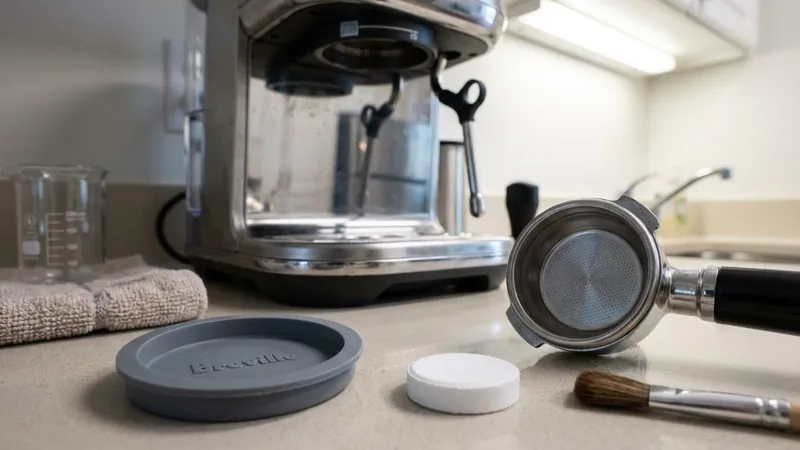
- Rubber cleaning disc—came with your machine, hopefully you didn’t lose it
- Single wall 1-cup basket—has to be this size specifically
- Breville cleaning tablets—or Cafiza/Urnex equivalents
- Container to catch the discharge water
- Full water tank
Where to Find Replacements
- Rubber disc: About $10-15 if you need a new one
- Cleaning tablets: Breville pack of 8 runs $15, or get Urnex Cafiza ($12 for 100—way better value)
Quick note: The rubber disc is gray or black silicone. Don’t mix it up with the razor dosing tool—I’ve seen people do this.
Step-by-Step Cleaning Cycle Process
Let’s run through the whole thing:
Preparation
- Empty the drip tray and slide it back in
- Fill water tank all the way to MAX
- Clear out the portafilter—no coffee residue
- Find your rubber disc and one tablet
Step 1: Insert the Cleaning Disc
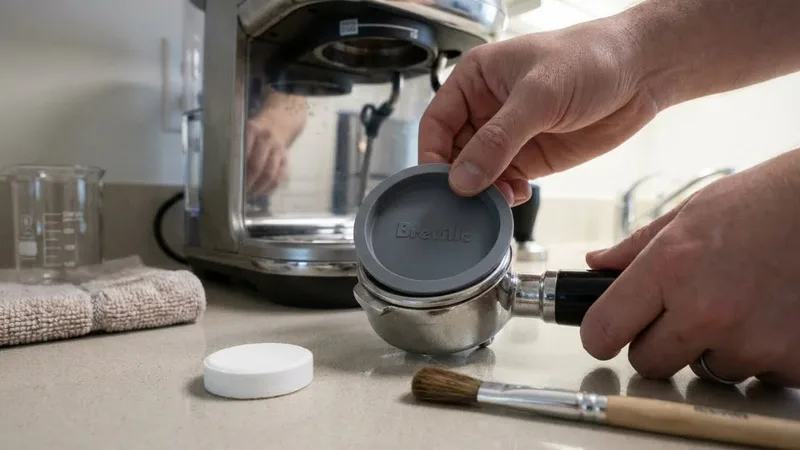
- Put the 1-cup single wall basket in your portafilter
- Drop the rubber disc in (flat side faces down)
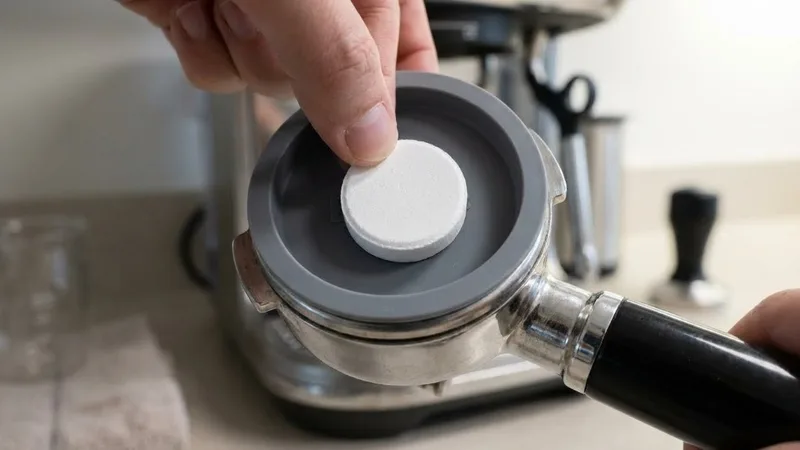
- Place one cleaning tablet on top of the disc
- Center the tablet on the disc
Step 2: Lock the Portafilter
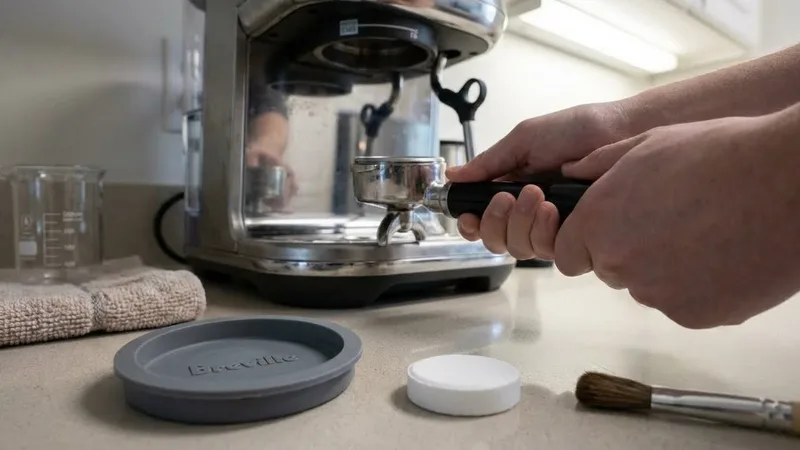
- Insert into the group head
- Rotate firmly to lock—treat it like a normal shot
- Get your container or drip tray positioned below
Step 3: Enter Cleaning Mode
Different models have different button combinations. Here’s the breakdown:
Barista Express / Barista Pro:
- Turn machine OFF
- Press and hold 1-Cup + 2-Cup + POWER together
- Hold for 3-5 seconds until lights start flashing
- Release—you’re now in cleaning mode
Barista Express Impress:
- Turn machine OFF
- Press and hold GRIND + 1-Cup + POWER
- Hold until lights flash
- Release
Bambino / Bambino Plus:
- Turn machine OFF
- Hold 1-Cup while pressing POWER
- Steam light flashing = you’re in
- Press 1-Cup or 2-Cup to start
Oracle / Oracle Touch:
- Go to Settings → Maintenance → Clean
- Follow whatever it tells you
Step 4: Run the Cleaning Cycle
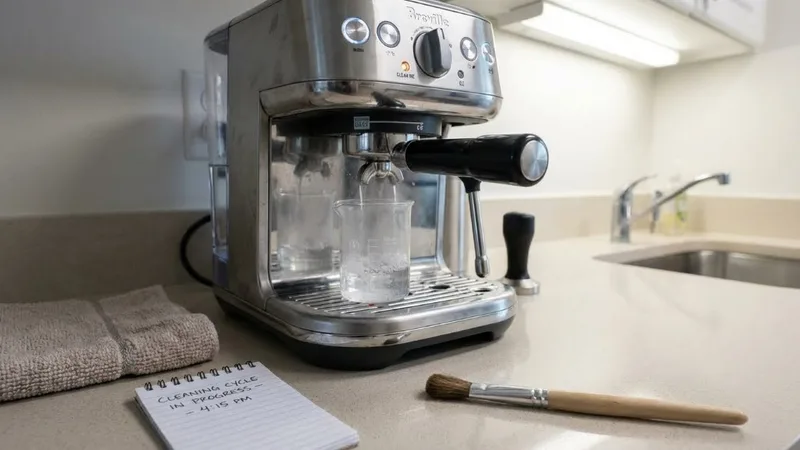
Once you’re in cleaning mode:
- Press the 2-Cup button (or appropriate button for your model)
- Machine starts pulsing water through
- You’ll hear the pump cycling on and off
- Cloudy water discharges through the backflush tube
- Runs about 5 minutes automatically
- Let it finish—don’t interrupt
Step 5: Post-Cycle Rinse (Critical!)
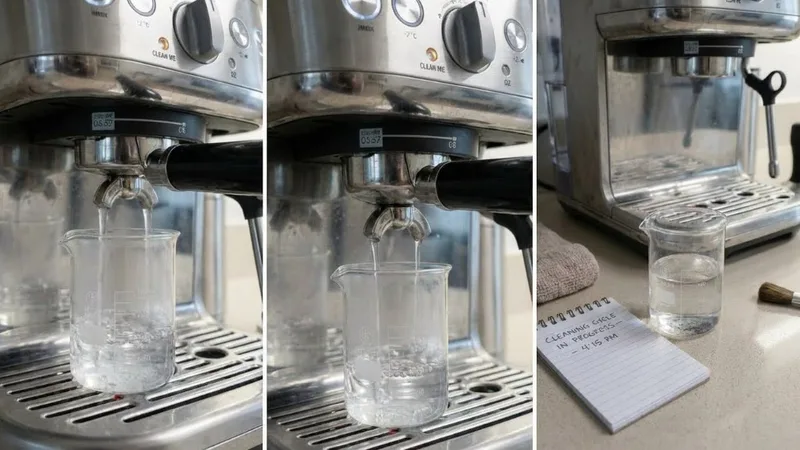
This part matters more than people realize:
- Remove the portafilter—careful, it’s warm
- Check that the tablet fully dissolved
- If chunk remains, run another cycle
- Rinse basket and portafilter under water
- Dump the disc contents
- Put portafilter back (with basket, no disc)
- Lock into group head
- Run a 2-cup cycle to rinse the group head
- Repeat rinse 2-3 times until water runs clear
Don’t skip the rinses. First week I had my machine, I only did one rinse cycle. Next morning’s espresso had this soapy chemical taste. Ran three more rinses and problem solved. Just do the rinses.
Step 6: Clean the Shower Screen
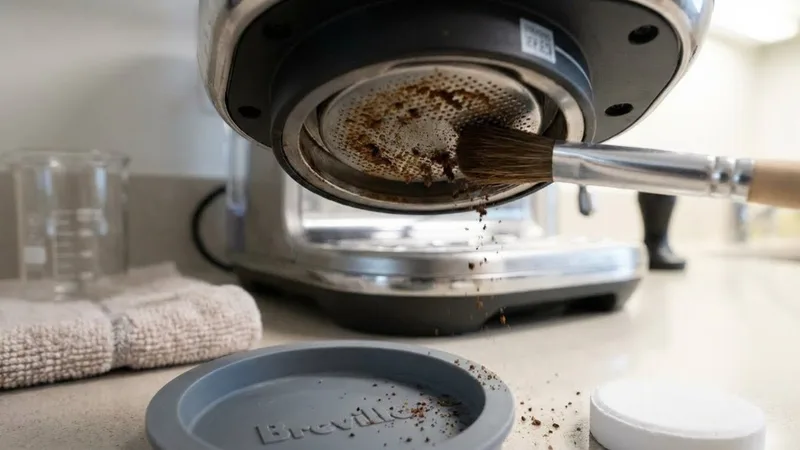
While you’re at it:
- Brush the shower screen
- Wipe away any loosened residue
- Should look clean and uniform when done
Post-Cleaning Verification
Before making actual espresso:
Visual Check
- Portafilter basket: Clean, no residue
- Shower screen: No buildup visible
- Drip tray: Clear water coming through (not soapy)
Taste Test
- Pull a test shot with your normal beans
- Should taste clean—no chemical notes
- If you taste soap, run more rinse cycles
Flow Check
- Water should flow evenly through shower screen
- No weird sounds during extraction
Model-Specific Notes
Barista Express (BES870/BES875)
- Button combo: 1-Cup + 2-Cup + Power
- Standard tablets work fine
- Clean monthly or when the light triggers
Barista Pro (BES878)
- Same basic process as Express
- Digital display sometimes shows cleaning prompts
- ThermoJet heats faster so timing is slightly different
Barista Express Impress
- Button combo includes Grind button
- Same tablets and disc work
- Check your manual for the exact sequence
Bambino/Bambino Plus
- Simpler process with fewer buttons
- Same tablets, just verify basket size
- Smaller tank means you might need to refill during rinse
Oracle/Oracle Touch
- On-screen menu walks you through everything
- More automated process
- Some models want specific branded tablets
Troubleshooting Common Issues
Problem: Cleaning Light Still Flashing After Cycle
Why it happens:
- Cycle didn’t complete fully
- Didn’t exit cleaning mode properly
What to try:
- Run the whole cycle again from the beginning
- Power cycle (off 30 seconds, back on)
- Make sure you finished all the rinse cycles
Problem: Tablet Didn’t Dissolve
Why it happens:
- Old or wet tablet
- Wrong basket size
- Water flow issue
What to try:
- Use fresh, dry tablets
- Confirm you’re using the 1-cup basket
- Check water tank is full
- Run another cycle with a new tablet
Problem: Soapy Taste in Espresso
Why it happens:
- Not enough rinse cycles
- Tablet residue stuck somewhere
What to try:
- Run 3-4 more rinse cycles
- Pull and dump several shots
- If it persists, remove shower screen and soak in hot water
Problem: Poor Flow After Cleaning
Why it happens:
- Shower screen blocked
- Basket clogged
- Scale buildup (different issue—need to descale)
What to try:
- Remove and clean shower screen thoroughly
- Check basket holes for blockage
- Consider descaling if it’s been a while
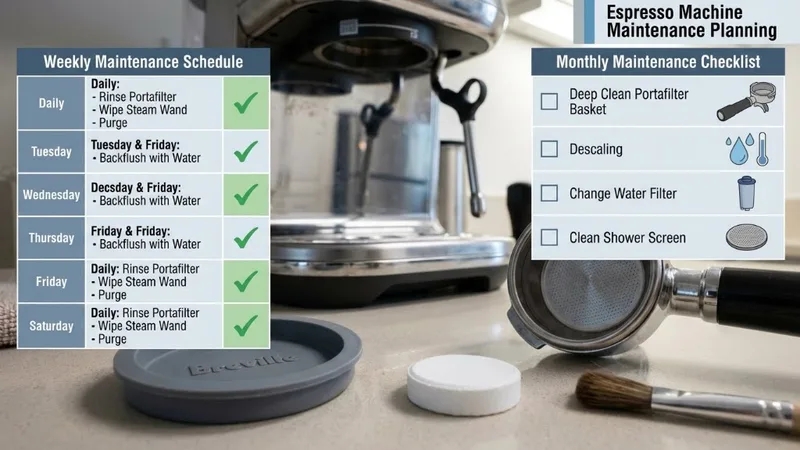
Maintenance Schedule Recommendations
Adjust based on how much you’re pulling:
| Usage Level | Daily Clean | Full Cleaning Cycle | Descale |
|---|---|---|---|
| Light (1-2 shots/day) | After each use | Every 2 weeks | Every 3-4 months |
| Medium (3-5 shots/day) | After each use | Weekly | Every 2-3 months |
| Heavy (6+ shots/day) | After each use | Every 3-4 days | Monthly |
Additional stuff:
- Monthly: Deep clean steam wand, polish portafilter
- Quarterly: Check gaskets, deep clean grinder
- Annually: Consider professional service if you’re a heavy user
Cleaning vs Descaling: What’s the Difference?
People mix these up constantly:
| Cleaning Cycle | Descaling |
|---|---|
| Removes coffee oils and residue | Removes mineral scale |
| Uses cleaning tablets | Uses descaling solution |
| Targets group head and valve | Targets boiler and tubes |
| Weekly/bi-weekly | Monthly/quarterly |
| Uses rubber disc | No disc needed |
You need both. They solve completely different problems.
FAQs
How often should I run the Breville cleaning cycle?
Weekly for most people, or whenever the “Clean Me” light shows up. If you’re pulling 6+ shots daily, clean every 3-4 days.
Can I use powder cleaners instead of tablets?
Don’t. Tablets are dosed correctly for the cycle. Powder can be too strong, clump wrong, or not dissolve properly. Just use the tablets.
What’s the difference between cleaning and descaling?
Cleaning removes coffee oils from the group head using tablets. Descaling removes mineral deposits from the boiler using acid-based solutions. Different targets, different chemicals, both necessary.
Is this safe for all Breville models?
Yes—all Barista series machines use basically the same process with slightly different button combos. Oracle models have an on-screen menu. Check your manual for exact instructions on your specific model.
What if the cycle gets interrupted?
Start over from the beginning. Don’t try to pick up mid-cycle—you’ll leave residue in the system. Fresh start ensures complete cleaning.
Key Takeaways
- Daily quick cleans prevent 90% of buildup; weekly backflush handles the rest
- Always use rubber disc + tablet in the 1-cup basket
- Don’t skip rinse cycles—run at least 2-3 after cleaning
- Pull a test shot to verify no chemical taste lingers
- Cleaning removes oils; descaling removes scale—you need both
- Keep spare tablets around so you never skip a scheduled clean
Your machine will thank you with better-tasting shots and longer life. Takes 10 minutes a week—totally worth it.
Related Guides:

Mikael
Home espresso enthusiast and Breville specialist. Helping you master the art of coffee brewing from your own kitchen.
Learn more about me →